An AI agent that answers your customers.
Answer customers in the chat on your website with AI replies based on your reference material, or drafts your team reviews. Leads land in a CRM with a pipeline, online booking and automations. KeyScale handles the setup, with a website build if you need one.
Tell us what your customers ask, and we reply by email with a scope and a price. A managed setup, scoped for your business.
An AI Agent, a CRM, and a Website If You Need One
Bring AI replies and customer conversations together, with a managed website available as part of your project.
An AI Agent That Answers Your Customers
An AI agent configured with your business content. Choose automatic replies on a schedule or drafts for review, subject to configured limits and service availability.
An AI CRM for Your Customer Conversations
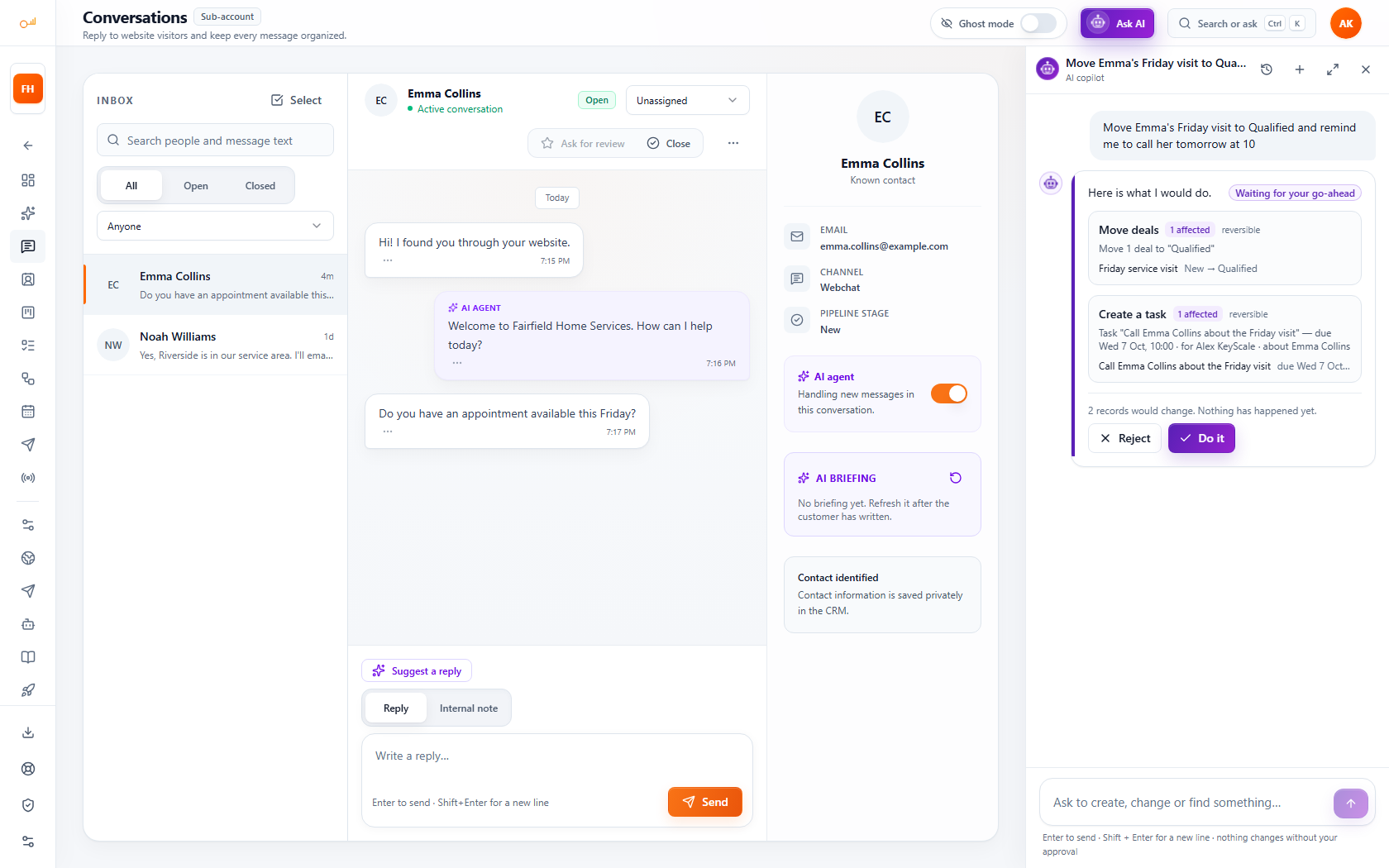
Website chat, contacts, deals and tasks in one workspace. Enabled AI actions can save contact details, add tags and update lead stages.
A Managed Website, If You Need One
Website design, hosting and maintenance scoped to your project and agreed support arrangement.
Why Choose KeyScale?
KeyScale handles the agreed setup and management of your AI agent and CRM, with website services if you need them, so you can stay focused on customers.
- AI Configured With Your Business Content
- Autopilot or Approve-Before-Send
- Website Chat & Messaging Apps in One Inbox
- Configurable AI Contact Actions
- Website Design Available for Your Project
- Setup, Hosting & Updates Within Your Agreed Scope

A Look Inside the Workspace
Screens from a demo workspace with sample data: the AI copilot, the inbox with the AI agent, the webchat, the pipeline, online booking and automations.
AI Copilot
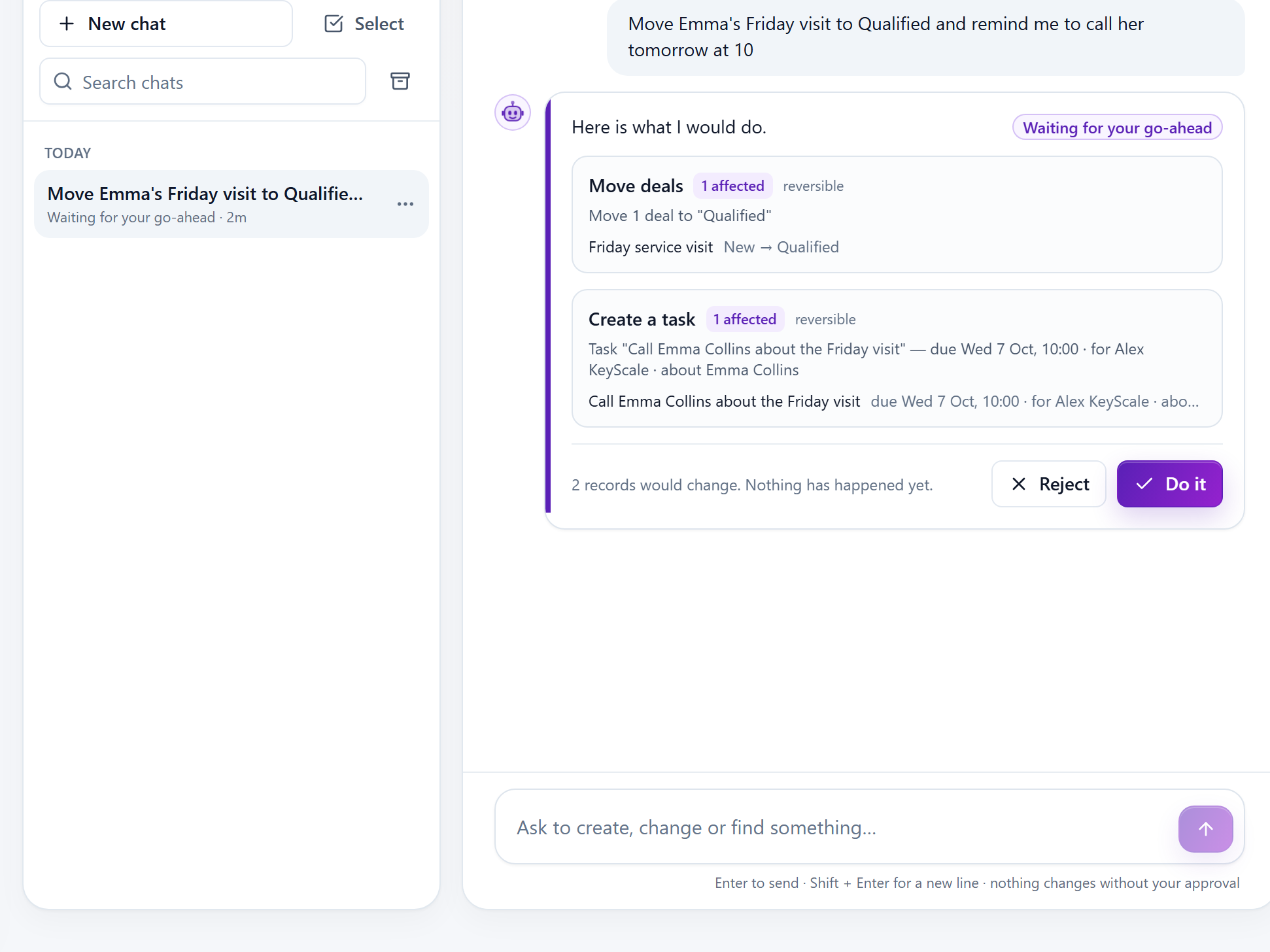
A Copilot That Works the CRM With You
Ask in plain words to create, change or find anything in the CRM. It shows the plan with real counts first; nothing changes until you confirm, and a change can be undone for 15 minutes.
AI CRM
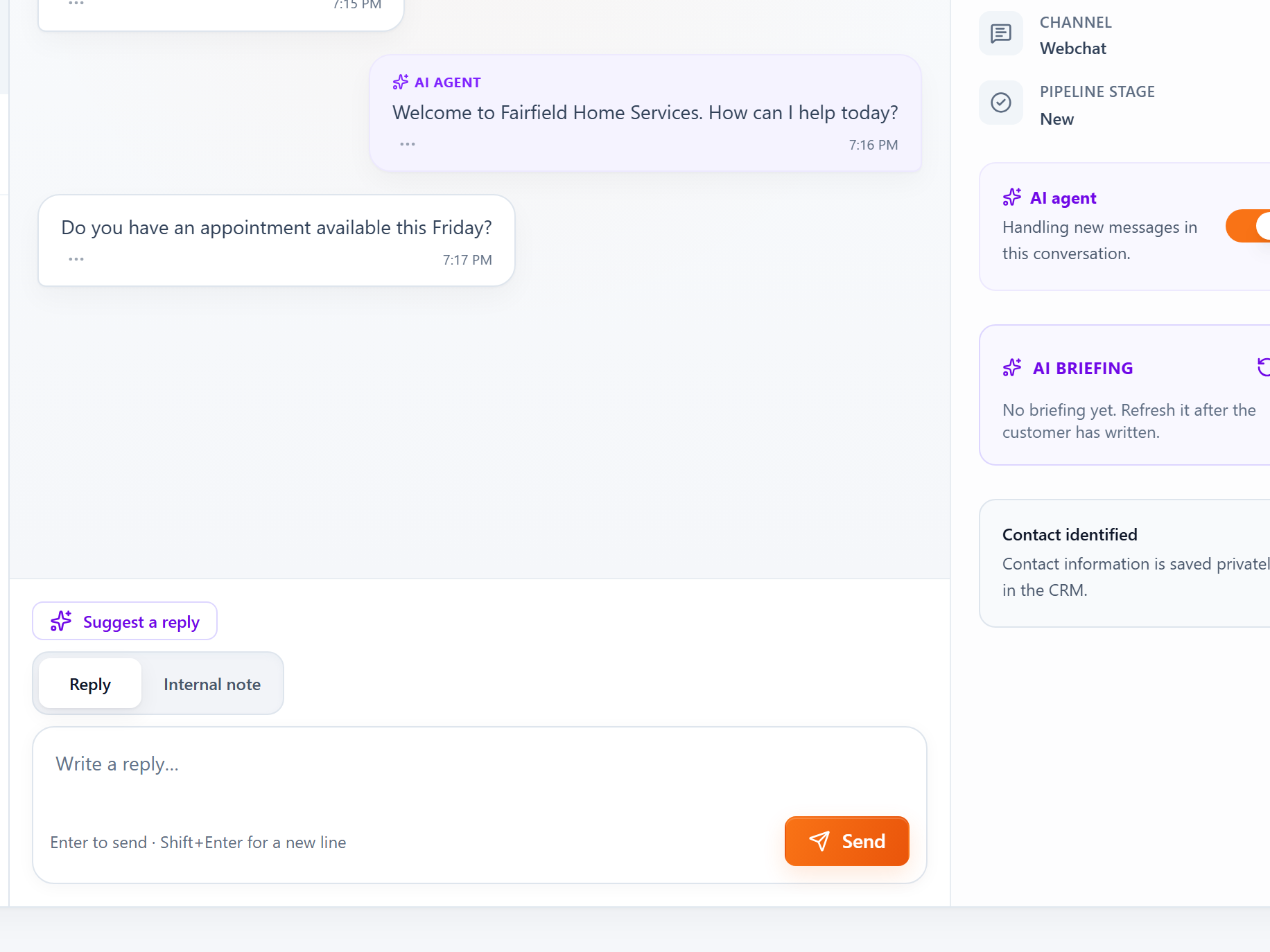
Every Chat Linked to Its Contact
Website chats land in one inbox beside the contact record. Enabled AI actions can help update contact details and lead stages.
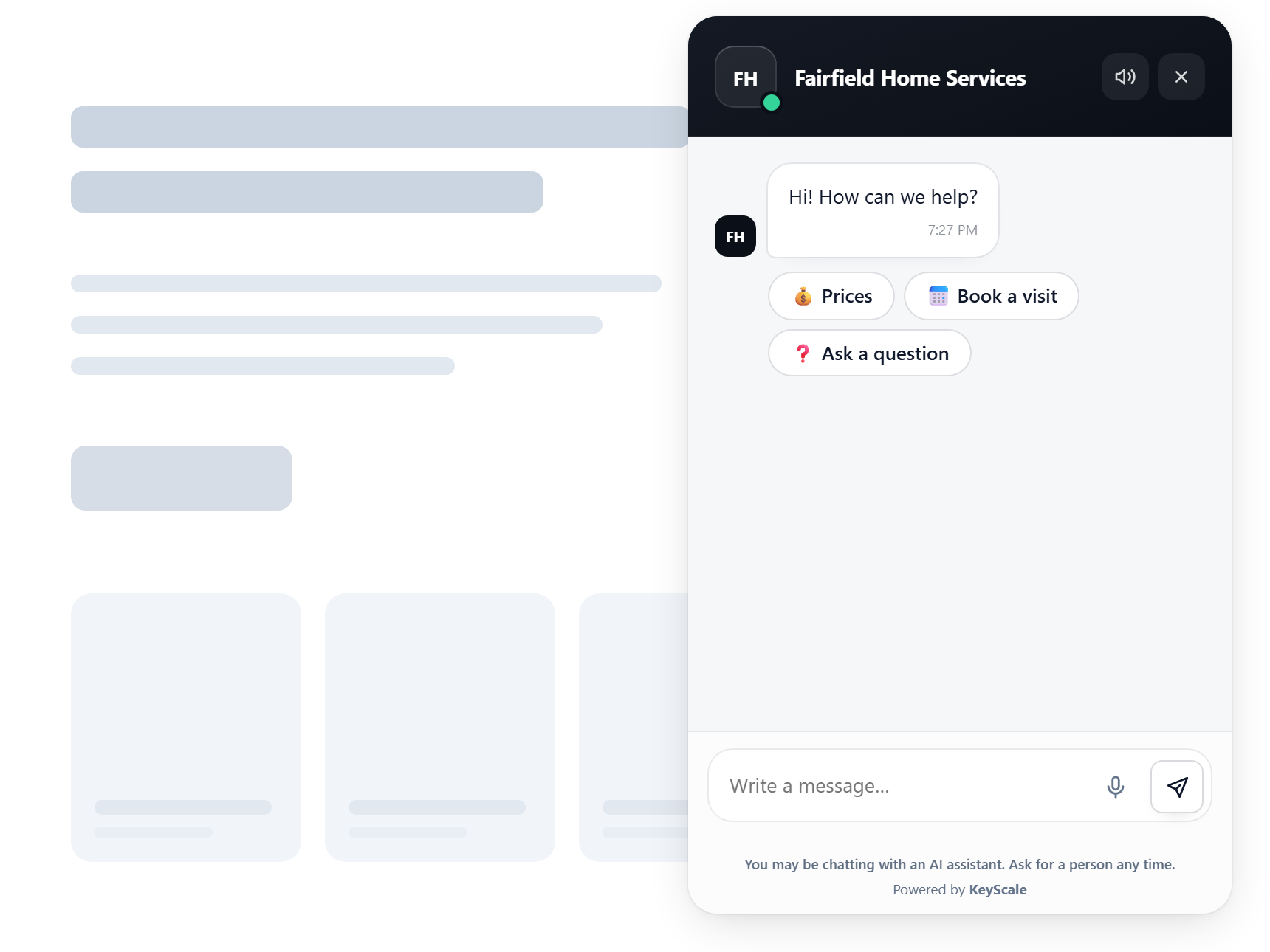
Webchat
Webchat That Starts the Conversation
Build chat scenarios with buttons and questions, and show a proactive message to the right visitors at the right moment.
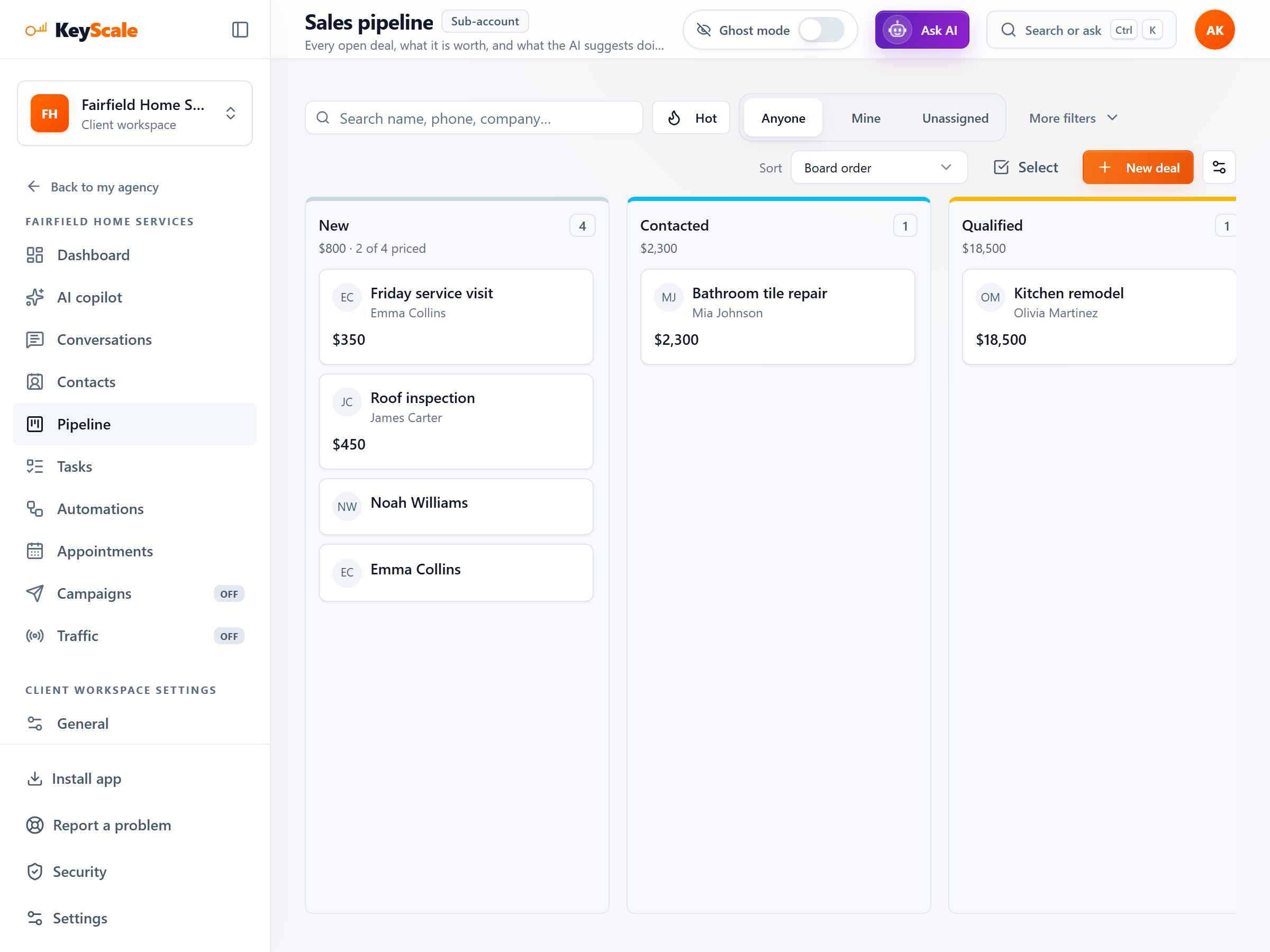
Sales pipeline
A Pipeline Your Team Actually Keeps Up To Date
Move deals through your own stages, see what each stage is worth, and give every follow-up an owner and a due date.
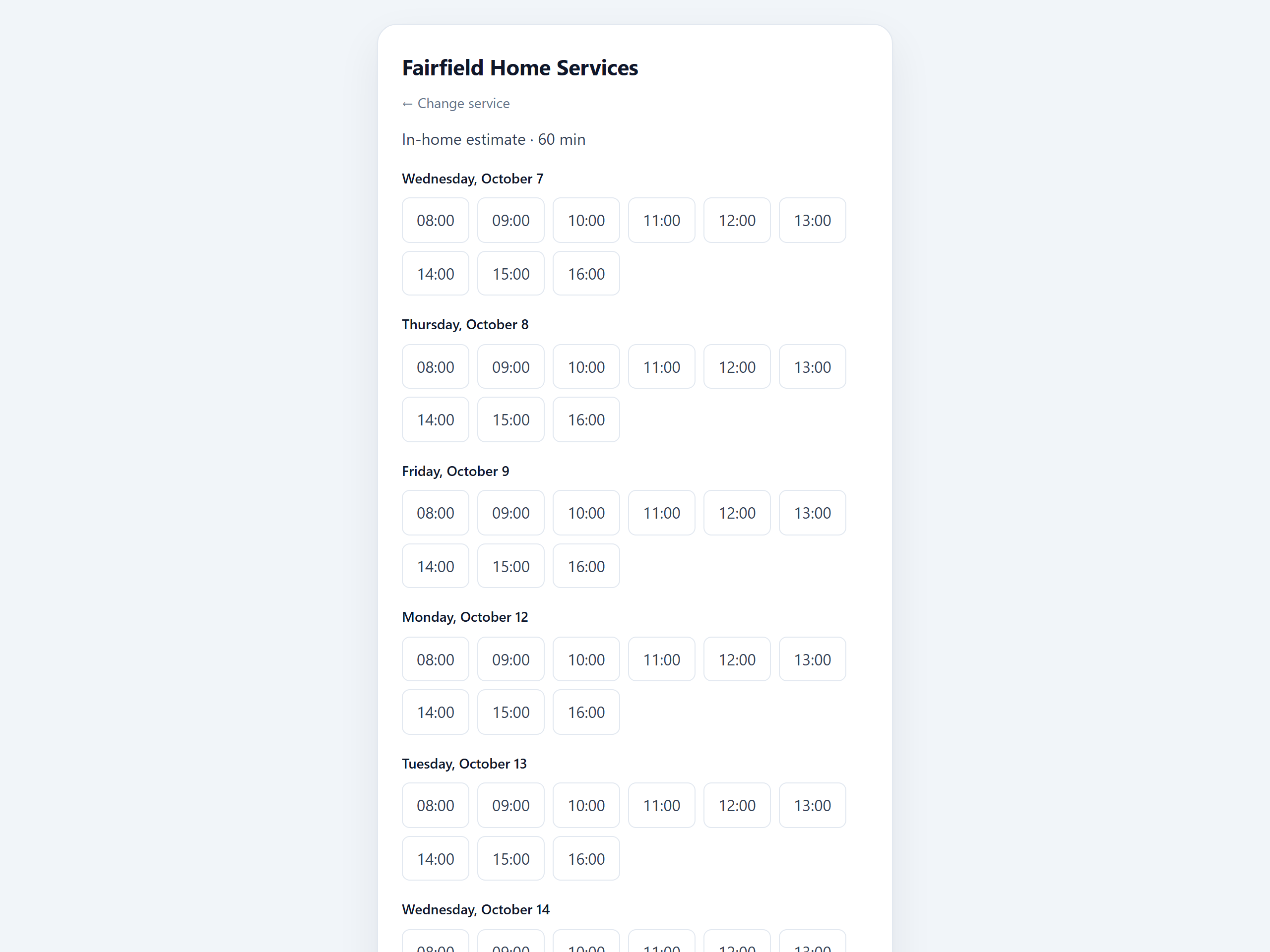
Online booking
Online Booking Without the Back-and-Forth
A booking page for your services, with real availability, reminders, and times customers can change themselves.
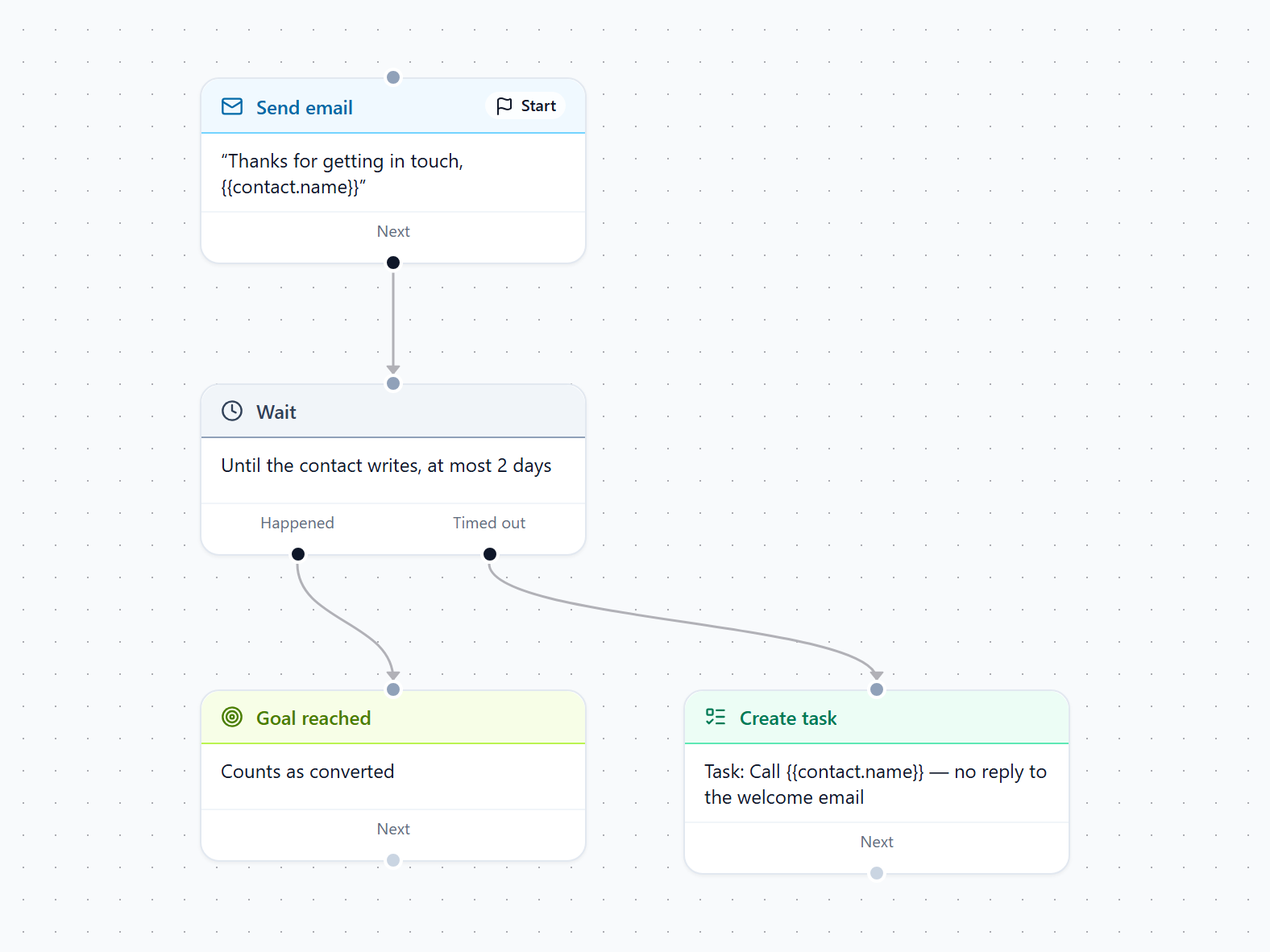
Automations
Follow-Ups That Run on Their Own
Automate the steps after a lead arrives: welcome emails, waits, branches, CRM updates and tasks for your team.
Frequently Asked Questions
What KeyScale does, what is included, and how a project starts.
What is KeyScale?
KeyScale configures an AI agent using your business content, the chat on your website, and a CRM with a sales pipeline, online booking and automations. Automatic replies, review drafts and optional notifications depend on the agreed setup. Website design and ongoing management can be included in the agency order.
Is KeyScale software I sign up for, or a service?
It is a managed service, scoped and quoted for your business. You send a project request, and KeyScale sets up the workspace and agent after the scope is agreed, with a website build if included. You get a workspace to log into and use every day; there is no self-serve signup or free trial.
What can the AI agent actually do?
It uses selected pages and documents as reference material to generate replies or drafts. In Autopilot, enabled actions can save supplied contact details, add tags, update supported lead stages and flag a handoff. Draft prepares text without those CRM changes and can flag it for human review. These are configurable capabilities, not a guarantee that every question is answered or every record is correct.
Does the AI reply on its own, or does my team approve first?
Choose Autopilot to send replies automatically, or Suggest to review and edit drafts before sending. In Autopilot, enabled AI actions can update contact details, tags and lead stages. Suggest does not run these actions or display the chat contact form. Sending a draft sends its text only. Schedules restrict automatic replies, not draft generation; usage limits and service availability apply to both modes.
What does the AI agent know about my business?
KeyScale builds a knowledge base from the documents and website pages you supply. The agent is instructed to use that material, but a language model can still give an inaccurate answer. Use human-review mode where an error could cause harm.
Where does the AI agent answer customers?
In the chat widget on your website. The widget can also run a scenario first, such as a few questions or a booking prompt, and then hand the conversation to the agent or your team. Any other connection is agreed for your project before setup and listed in your order.
Tell us what you need answered
Share what your business needs. We will review your request and reply by email with the next steps.
Tell Us About Your Business
What you do, what customers ask you, and where they ask it.
We Review Your Project
We scope the agent, the workspace, and the site if you need one.
Receive the Next Steps
We reply directly to the email address you provide.
Discuss Your Project
Tell us about your business and what you want the agent to handle.
